Every inbox in one list.
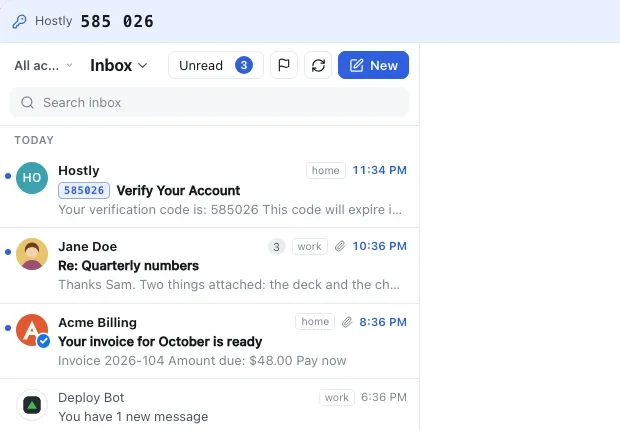
Personal Gmail, an Outlook.com address, family iCloud and the office Microsoft 365 or Exchange server: Sideora shows them side by side, newest first, and lets you narrow to one whenever you want.
All of them, together
Gmail, Outlook.com and Microsoft 365, iCloud, Fastmail, Exchange servers your organisation runs, and any IMAP or JMAP account. Each mail tagged with its account.
Calendars beside the mail
Calendars from Exchange, Google, iCloud and Fastmail in one week, with your contacts and the people you write with.
Alerts you decide
Rules across every account: a sound, a notification, quiet hours. Only for the mail that matters.
How it works
Three steps.
Add each account
A short form per account, or a sign-in with Google for its calendar and contacts.
Read them as one
One list, or one account at a time; Unread and Flagged count across them all.
Reply from the right one
A reply goes from the account the mail came to, with its own signature.
Questions
Good to know.
Does Microsoft 365 or Outlook.com work?
Yes, for mail: add it with Sign in with Microsoft, and the sign-in stays on your computer. Their calendars are coming. Some organisations ask an administrator to approve new apps first.
Does it move my mail anywhere?
No. Your mail stays on your providers' servers; Sideora reads it from there, on your computer.
Try Sideora early.
Free during early access. One mail when it is your turn, and nothing else.